
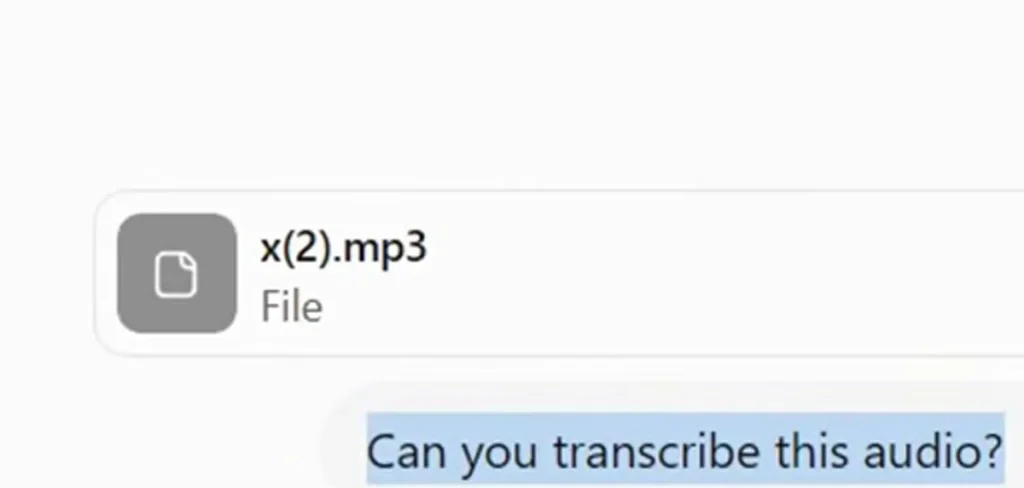
ChatGPT can work with supported audio uploads on eligible paid accounts and workspaces, according to the current official upload guidance. You can ask for a transcript, then use it for notes or follow-up questions. Availability depends on the account, client, and supported workflow.
Audio upload, microphone dictation, a Voice conversation, Record mode, and the developer API are different routes. Start by choosing the one that matches your recording rather than following instructions for another feature.
Contents
- Choose the transcription route
- Check audio formats and size
- Prepare the recording
- Ask for the right kind of transcript
- Verify names numbers and specialist terms
- Handle long recordings in sections
- Turn a verified transcript into useful notes
- Troubleshoot a failed transcription
- A worked example with an interview
- Audit the joins in a long recording
Quick answer
ChatGPT can work with supported audio uploads on eligible paid accounts and workspaces, according to the current official upload guidance. You can ask for a transcript, then use it for notes or follow-up questions. Availability depends on the account, client, and supported workflow.
Choose the transcription route
| Route | Typical purpose | What to verify |
|---|---|---|
| Upload an existing audio file | Transcribe a saved interview or recording | Eligible account and supported format |
| Dictation | Turn a spoken prompt into editable text | Review before sending |
| Voice conversation | Speak with the assistant | Transcript behavior for that experience |
| Record feature | Capture a supported recording workflow | Current platform and plan availability |
| Developer API | Build a transcription process | Separate billing and file requirements |
The official dictation description explains that the microphone recording is transcribed into text you can edit before sending. That is different from uploading a long saved interview.
Check audio formats and size
The reviewed guidance lists formats including MP3, WAV, M4A, FLAC, AAC, and OGG, with audio files up to 512 MB. The stream must be valid and decodable. Audio-only and video containers are not interchangeable for this upload route. Very long recordings can time out, so a maximum file size is not a promise of complete processing.
Prepare the recording
Use the original audio when possible. Confirm it plays normally and contains the full segment. A file extension alone does not establish that the file has a valid audio stream.
Reduce background noise at recording time, keep the microphone near the speaker, and avoid people speaking over one another. Processing cannot reliably recover words that were never captured clearly.
For interviews or meetings, obtain the necessary permission and follow the applicable rules for recording and sharing. Do not upload confidential conversations merely because the interface accepts the file.
Ask for the right kind of transcript
“Transcribe the attached recording in its original language. Preserve the wording rather than summarizing. Mark unclear speech as [unclear] instead of guessing. Use speaker labels only when you can distinguish the speakers, and do not invent their names. Add timestamps if the tool supports them.”
If you want a cleaned transcript, define what cleaning means. For example, remove repeated filler words while keeping the meaning and all substantive statements. Keep the original transcript if exact wording matters.
For translation, request the original-language transcript first and the translation separately. This makes errors easier to locate.
Verify names numbers and specialist terms
Transcription errors are especially costly around names, dates, amounts, product codes, and technical vocabulary. Provide a short glossary of known terms, but do not tell the assistant to force those words into unclear audio.
Listen to the relevant moments and compare them with the transcript. Check quotations before publishing them or attributing them to a speaker.
Speaker separation can be unreliable. If two voices overlap, use neutral labels and mark uncertainty rather than assigning a statement to the wrong person.
Handle long recordings in sections
Split a working copy at natural breaks, keeping a small amount of context around the boundary. Name the parts in order and preserve their original time offsets.
Transcribe each section, then check for missing or duplicated sentences where the files join. A combined document should use one consistent timestamp system.
For a long recording, verify the beginning, middle, and end before assuming the entire file was processed. A transcript ending neatly can still be incomplete.
Turn a verified transcript into useful notes
Ask for decisions, action items, open questions, and supporting timestamps. Require the assistant to distinguish a proposal from an agreement.
Do not let the summary add an owner or deadline merely because the conversation implies that one might be needed. Use “not specified” where the recording does not establish it.
For a lecture, ask for an outline and definitions, then compare unfamiliar concepts with course materials. For an interview, keep the speaker’s words separate from editorial interpretation.
Troubleshoot a failed transcription
Check account eligibility, supported format, file integrity, upload notices, and current service status. Try a short non-sensitive recording to determine whether the issue affects all audio or one file.
If a video container is rejected as an audio upload, export an authorized audio-only working copy using an appropriate tool. Changing the extension without converting the content is not a dependable fix.
For a support request, include the error, timestamp, platform, file format, duration, and size. Avoid sending private recordings unless support specifically requires an appropriate diagnostic sample.
A worked example with an interview
Suppose a speaker discusses a project launch and mentions several dates. Request the original-language transcript first, with unclear words marked. Listen to each date and confirm whether it refers to a proposal, a previous deadline, or the final agreement.
Only then ask for a summary. Require separate lists for confirmed decisions and unresolved proposals. If the speaker says “maybe next Friday,” the summary should not turn that into a committed deadline.
For publication, verify every quotation against the recording and follow the speaker’s agreed review process where applicable. An edited transcript should not silently change the meaning of a statement.
Audit the joins in a long recording
When combining sections, check the last sentence of one part and the first sentence of the next. Overlapping segments can duplicate speech, while abrupt splits can lose a word or change speaker attribution.
Preserve original time offsets so a reviewer can find the passage in the full recording. Note any missing segment openly. A complete-looking document should not conceal that part of the source was unavailable.
Related guides: Can ChatGPT Watch Videos and Understand Their Content · ChatGPT File Upload Limits and How to Fix Upload Errors · ChatGPT Usage Limits and What Each Message Means
Order on WhatsApp
Get your subscription activated in minutes — pay in AFN with HesabPay, MTN MoMo or at our Kabul office.
💬 Order on WhatsAppFrequently asked questions
Can ChatGPT Free upload audio for transcription
The official upload guidance reviewed says audio uploads are not currently available on Free. Check the current account and documentation for changes.
Is a summary the same as a transcript
No. A transcript records speech; a summary selects and condenses its meaning.
Can it identify every speaker correctly
Do not assume so. Verify speaker labels and mark uncertain attribution.
Can I publish the transcript without listening again
Check important quotes, names, numbers, and unclear passages against the source first.