
Choose between Microsoft Copilot and ChatGPT by testing the work you actually need to finish. For a Microsoft 365 workflow, first check which Copilot your organization licenses and what information it can access. For a general assistant, compare both products on the same writing, research, and document tasks. A shared model provider does not make two products interchangeable.
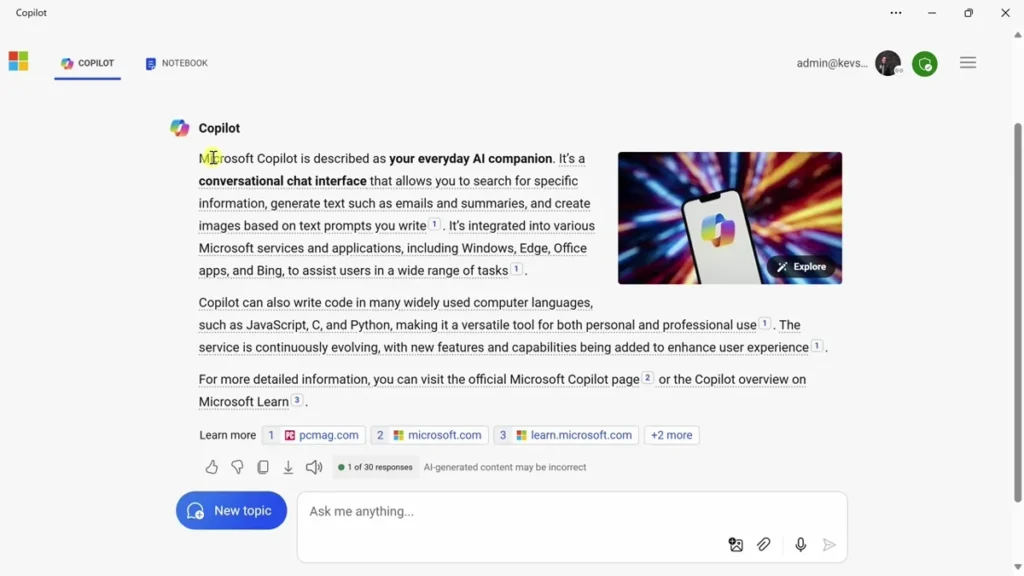
The biggest source of confusion is the name Copilot. Microsoft Copilot, Microsoft 365 Copilot, and GitHub Copilot serve different workflows. Comparing a free consumer chat with an employer’s paid Microsoft 365 environment tells you little about the products’ underlying quality.
Contents
- Identify the products before comparing features
- Compare the information each assistant receives
- Run a comparison using five real tasks
- Which works better for writing and research
- Compare cost across the whole workflow
- Protect work information during the test
- A worked comparison for a customer update
- Common comparison mistakes to avoid
Quick answer
Choose between Microsoft Copilot and ChatGPT by testing the work you actually need to finish. For a Microsoft 365 workflow, first check which Copilot your organization licenses and what information it can access. For a general assistant, compare both products on the same writing, research, and document tasks. A shared model provider does not make two products interchangeable.
Identify the products before comparing features
Write down the full product name, account type, plan, and available tools. Include the date. A screenshot of a reply without this information is a weak basis for a buying decision.
| Product | What to investigate | Useful starting task |
|---|---|---|
| Microsoft Copilot | Consumer account features and web access | Explain a public topic with sources |
| Microsoft 365 Copilot | Licensed apps and permission scoped work data | Summarize an approved work document |
| GitHub Copilot | Editor integration and coding capabilities | Suggest and review a small code change |
| ChatGPT | Available models, tools, files, and connected apps | Analyze supplied material and draft a deliverable |
Microsoft’s product documentation should establish Microsoft-specific entitlements. Do not assume an employer’s subscription includes every feature shown in a consumer demonstration.
Compare the information each assistant receives
Suppose you ask, “What did we agree with this client?” One assistant may have access to the relevant email and meeting notes, while the other sees only the question. The second assistant needs the evidence before it can provide a useful answer.
For a fair comparison, supply the same approved source material. Then run a separate integration test to learn how well each product retrieves work context on its own. These answer different questions: the first tests output quality; the second tests the workflow you would pay to use.
Ask both to identify the source of each deadline, owner, and commitment. A polished summary that assigns the wrong person to a task creates more work than it saves.
Run a comparison using five real tasks
- Give each assistant the same rough email and ask for a clear rewrite with no added promises.
- Provide a short report and request a summary that separates findings from assumptions.
- Supply a small spreadsheet with known totals and ask for the calculations.
- Request research on a current issue and open the cited sources yourself.
- Ask for the final output in the format you use at work.
Record corrections, export problems, and time spent reviewing. Do not score the first answer alone. An assistant that writes faster but requires repeated corrections may be slower across the full task.
Use a simple score of zero to two for factual accuracy, instruction following, source traceability, editing effort, and usable output. Define what each score means before testing. This is your evaluation framework, not a published benchmark.
Which works better for writing and research
For writing, compare whether the output preserves your meaning, respects the audience, and avoids inventing facts. Use an actual brief with examples of the tone you want. A generic request to “write professionally” tests little.
For research, look beyond whether the answer includes links. Open them and check that they support the nearby claim. Ask the assistant to distinguish an official announcement from commentary and to state when a source was published. Neither product’s confident language establishes accuracy.
For document work, inspect the final file. Broken tables, missing formulas, and incomplete exports matter more than an attractive preview in a chat window.
Compare cost across the whole workflow
Include the subscription, any prerequisite licenses, staff review time, and the cost of errors. ChatGPT Plus is listed at $20 per month in the official guidance checked for this article; API use is billed separately. Microsoft pricing needs a separate check for the exact product and contract.
A useful calculation is monthly cost divided by hours saved after review. If a hypothetical $20 subscription saves two verified hours, the subscription cost is $10 per saved hour. This example illustrates the calculation; it does not predict your savings.
Protect work information during the test
Use approved documents and the account your organization permits. Check workspace policies before uploading client files. Access to a file does not automatically authorize sending it to every assistant.
Keep a record of the source documents, prompts, plan, and date so another person can reproduce the comparison. This provides more credible evidence than saying one assistant “feels smarter.”
Start with three tasks you repeat every week. Choose the assistant that produces the most usable work with the least correction, then expand the test before committing an entire team.
A worked comparison for a customer update
Suppose a team needs to explain a delayed delivery. Prepare one approved note containing the order status, the verified reason, and the next update date. Ask both assistants for an email that acknowledges the delay without promising a delivery date that the note does not support.
Then change one constraint: the customer has already complained twice. Check whether the revision acknowledges that history while preserving the facts. Reject an answer that adds compensation, blames a supplier without evidence, or quietly changes the date.
Finally, move the draft into the system where the team will use it. Record formatting problems and the time needed to approve it. This small exercise tests context, revision, and final usability together. It is more representative than asking which assistant can write the most impressive generic email.
Common comparison mistakes to avoid
Do not give one assistant extensive background and the other a short prompt. Do not compare results from different dates without noting product changes. Do not assume a feature is missing because it is disabled by a work administrator.
Keep a short record of failed cases as well as successes. If a tool fails only on your most important task, its average score across easy tasks can hide the problem. Weight the scorecard according to your actual work.
Related guides: ChatGPT Plus vs Pro and When an Upgrade Makes Sense · Is Copilot the Same as ChatGPT and What Is Actually Shared · AI Similar to ChatGPT and How to Choose an Alternative
Order on WhatsApp
Get your subscription activated in minutes — pay in AFN with HesabPay, MTN MoMo or at our Kabul office.
💬 Order on WhatsAppFrequently asked questions
Is Copilot the same as ChatGPT
No. They are separate products. Similar responses or shared underlying technology do not create shared accounts, subscriptions, tools, or data permissions.
Does paying guarantee more accurate answers
No. Paid access may change tools and allowances. Important facts and calculations still need review.
Which should a Microsoft 365 user try first
Check what your employer already licenses, then test it on approved work. Compare another assistant only if the existing tool leaves a specific need unmet.
Can I use both
Yes, subject to your organization’s policies. Give each product a defined job and avoid paying twice for capabilities you do not use.