
Do not plan ChatGPT Plus image production around a fixed daily number from a forum post. Image creation has its own usage conditions, and an account’s current limit notice is more useful than an old screenshot. A reported allowance is not a promise that every subscriber can generate the same number of images.
First identify whether your problem concerns creating images, uploading reference images, editing an existing result, or output dimensions. These are different questions and can require different fixes.
Contents
- Distinguish the restrictions
- Why published quota numbers conflict
- What to record when you reach a limit
- Build a production workflow that wastes fewer attempts
- Separate concept approval from final polish
- A brief for a repeatable image series
- Should you upgrade for more image work
- What you can do while waiting
- A worked image production plan
- Separate output size from usage allowance
Quick answer
Do not plan ChatGPT Plus image production around a fixed daily number from a forum post. Image creation has its own usage conditions, and an account’s current limit notice is more useful than an old screenshot. A reported allowance is not a promise that every subscriber can generate the same number of images.
Distinguish the restrictions
| Problem | What to investigate |
|---|---|
| New images cannot be generated | Image creation allowance or service issue |
| A reference image cannot be attached | Upload requirements and allowance |
| Output is the wrong shape | Composition and supported output options |
| Repeated edits introduce new errors | Editing workflow and instruction clarity |
| An image takes longer than expected | Task complexity, demand, and current service conditions |
Read the complete error rather than assuming every failure means you used up a daily quota.
Why published quota numbers conflict
People may report different dates, plans, models, tools, and account conditions. They may also count requests, outputs, edits, or retries differently.
A creator who made many images in one session has described that session. Without official terms and reproducible conditions, their result does not establish a universal Plus allowance.
When evaluating a claim, ask when it was measured, which feature was used, and whether the author distinguishes generation from uploads. If those details are missing, treat the number as anecdotal.
What to record when you reach a limit
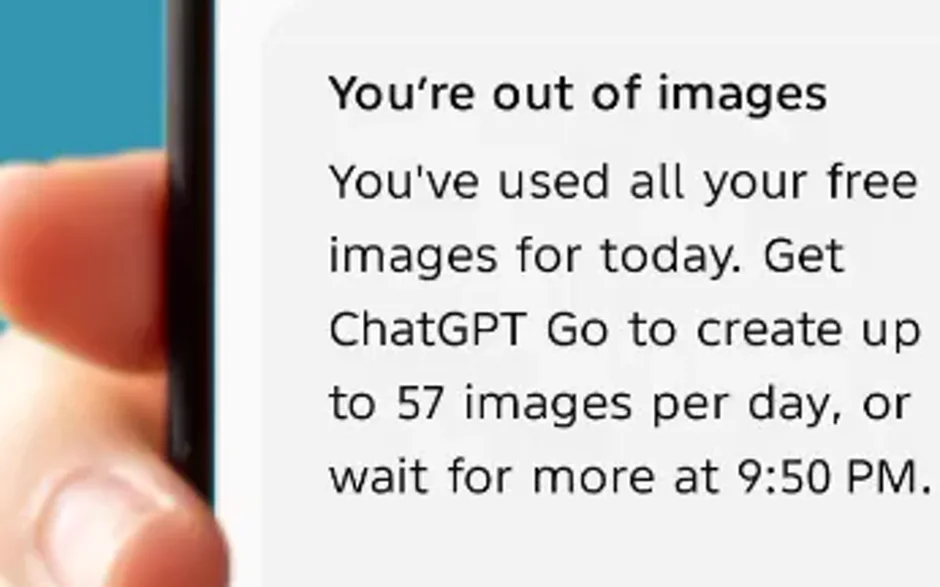
Save the exact wording, timestamp, time zone, active plan, platform, and feature. If a reset time is shown, use that rather than calculating an unofficial rolling window.
Note whether the request was a new generation or an edit. Keep the original prompt and any references. This helps distinguish an allowance problem from a specific input or tool failure.
Check the official status page when failures appear unusual. A broad incident should not be diagnosed as proof that your personal quota changed.
Build a production workflow that wastes fewer attempts
- Write the image’s purpose and publishing location.
- Decide the subject, composition, crop, and exclusions.
- Use one coherent visual style.
- Inspect the first result before requesting variants.
- Revise a specific defect while preserving approved details.
- Export and inspect the final file at its intended display size.
For a blog header, define the visual idea before generating. For a product image, identify which details must match the real item and whether a real photograph is required instead.
Separate concept approval from final polish
Approve the subject and layout first. Then adjust colors, background details, and finish. Asking for an entirely different composition during every edit makes progress difficult to track.
Keep an approved version outside the active revision chain. If a later edit damages the face, hands, or product shape, you can return to the known version.
When exact text matters, add and proofread it in a design tool. A generated illustration can carry the visual concept while typography is handled separately.
A brief for a repeatable image series
“Create an editorial illustration for a technology guide. Use a navy background, blue and cyan accents, simple shapes, and soft shadows. Show only the subject described below. Keep the main object clear at thumbnail size. Do not add text, logos, decorative charts, or extra objects. Leave consistent space around the subject for cropping.”
Add the specific subject for each article. Reuse approved references where appropriate, but inspect every result rather than assuming style consistency is automatic.
For real interface tutorials, capture current screenshots. Generating fictional controls to keep a visual series consistent can make the instructions misleading.
Should you upgrade for more image work
Record your actual production needs and the interruptions you encounter. Compare current plan terms with that workload before paying more.
Include review and editing time in the calculation. A larger allowance is useful when it produces more approved assets, not merely more attempts.
If you need predictable bulk output, investigate a workflow with explicit billing and throughput terms. Keep chat subscription allowances separate from independently billed developer services.
What you can do while waiting
Prepare prompts, choose authorized references, write captions, plan crops, and review existing images for defects. These steps reduce wasted generations later.
Do not repeatedly resend the same request without reading the notice. If the issue persists beyond the displayed reset or appears unrelated to allowance, collect the details for official support.
A worked image production plan
Suppose you need three article headers in one visual style. Prepare all three briefs before generating: subject, composition, crop, palette, and exclusions. Approve one image as the style reference, then use it to guide the other two where supported.
Keep a list of defects to fix rather than requesting vague improvements. An extra object, incorrect crop, and unwanted text are separate revision requests. Save approved outputs before continuing.
If a limit interrupts the session, the remaining briefs are ready for later. You have not lost the planning work, and you do not need to reconstruct the style from memory.
Separate output size from usage allowance
A question about pixel dimensions is not answered by the number of generations available. Inspect the actual exported file and the current image controls.
If you need a precise publishing size, prepare the final crop or layout in a suitable editor and check that the main subject remains clear. Do not claim a larger native resolution merely because a prompt requested it. Verify the file properties before handing the asset to a publisher.
Related guides: Use the Free ChatGPT Image Generator More Effectively · ChatGPT Plus Image Upload Limits and Reference Photo Fixes · ChatGPT Usage Limits and What Each Message Means
Order on WhatsApp
Get your subscription activated in minutes — pay in AFN with HesabPay, MTN MoMo or at our Kabul office.
💬 Order on WhatsAppFrequently asked questions
How many images can ChatGPT Plus generate per day
Use current official guidance and your account notice. An unofficial fixed number is not a dependable entitlement.
Do image uploads use the same limit as generation
Treat them as separate activities and read the restriction shown for each.
Will a higher plan guarantee successful images
No. More access does not remove the need for a good brief and visual review.
Can a prompt bypass the limit
A prompt is not a reliable way to change the account’s allowance. Use the available options shown in the product.