
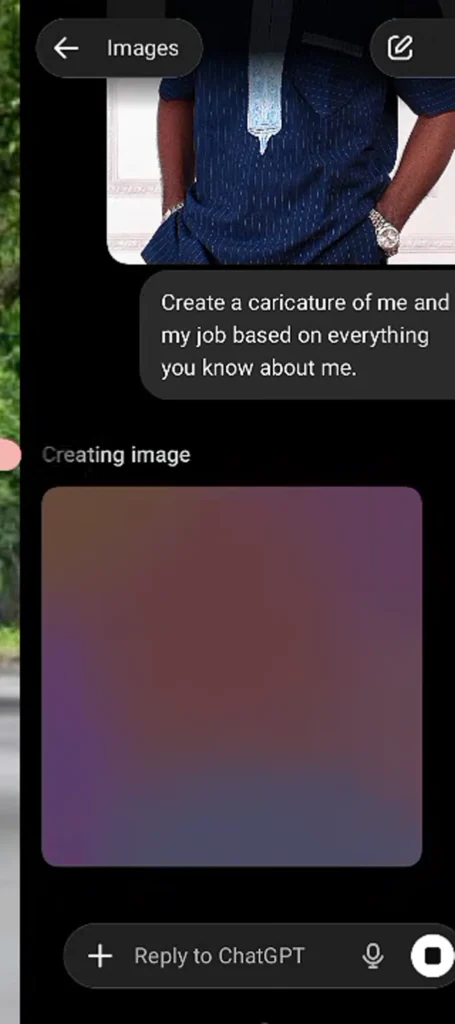
A useful ChatGPT caricature prompt describes the person, the features to exaggerate, the illustration style, and the intended use. If you want a recognizable result, provide a clear reference photo and say which facial features should stay consistent. Asking for a caricature “based on everything you know about me” gives the assistant room to guess personal details.
Start with a simple composition. Get the likeness right before adding a busy desk, several props, a slogan, and a detailed background.
Contents
- A reliable starting prompt
- Build the prompt from five decisions
- Prompts for different situations
- Fix a result that does not look like you
- Keep generated personal details under control
- Prepare the image for publication
- A revision example for a business portrait
- Choose exaggeration for the audience
Quick answer
A useful ChatGPT caricature prompt describes the person, the features to exaggerate, the illustration style, and the intended use. If you want a recognizable result, provide a clear reference photo and say which facial features should stay consistent. Asking for a caricature “based on everything you know about me” gives the assistant room to guess personal details.
A reliable starting prompt
“Create a friendly editorial caricature of the adult in this reference photo. Keep the face shape, hairstyle, eyebrows, and glasses recognizable. Gently exaggerate the smile and head proportions. Show the person holding a notebook at a tidy desk. Use clean shapes, warm colors, and a plain background. Do not add text, logos, personal information, or extra people.”
This is an original example prompt, not a guarantee of a particular output. Review the image and adjust one problem at a time.
If you do not want to upload a photo, describe the appearance yourself. Expect an invented character based on that description rather than a dependable portrait of you.
Build the prompt from five decisions
| Decision | Example instruction | Why it helps |
|---|---|---|
| Identity cues | Keep the short beard and round glasses | Preserves recognizable features |
| Exaggeration | Slightly enlarge the head and smile | Controls the caricature effect |
| Activity | Reviewing a notebook at a desk | Gives the image a clear subject |
| Style | Flat editorial illustration | Reduces conflicting visual directions |
| Output use | Square composition with space around the face | Supports a profile image crop |
Choose two or three identifying details. A prompt that specifies dozens of accessories can make the main face less important in the composition.
Prompts for different situations
Professional profile image
“Use the reference photo to make a polished, friendly caricature suitable for a professional profile. Keep the person recognizable, use modest exaggeration, and place the head and shoulders against a simple cream background. Keep important facial details inside a central circular crop. No badges, company logos, or text.”
Creator or small business owner
“Create a cheerful caricature of this person planning content at a desk. Include one laptop with a blank screen, a notebook, and a small desk lamp. Use a navy background with restrained blue accents. Preserve the face and glasses from the reference. Keep the scene uncluttered and do not invent business results or awards.”
Birthday illustration
“Create a playful birthday caricature of this adult from the reference photo. Use a joyful expression and a small cake on the table. Keep the background simple. Do not include an age or written greeting. Leave empty space for a designer to add verified text later.”
Team portrait
“Create a friendly illustrated team portrait from these reference photos. Keep each person distinct, preserve their hairstyle and glasses, and give everyone similar visual prominence. Use a consistent drawing style. Do not merge faces or add people.”
For a team image, label references clearly and obtain permission to use them. Review every face independently before sharing the result.
Fix a result that does not look like you
Do not restart with a longer description of the whole scene. Identify the mismatch. For example: “Keep the current layout. Make the jaw less narrow, restore the rectangular glasses, and keep the eyebrow shape closer to the reference.”
Use another clear reference if the first image has heavy filters, deep shadows, or a face partly covered by hair. A low-quality input leaves less reliable visual information to preserve.
If the expression is wrong, describe the emotion and mouth position. “Relaxed closed-mouth smile” is more specific than “make me look better.”
Keep generated personal details under control
State your job and hobbies explicitly if you want them shown. Do not let an illustration imply qualifications, customers, or achievements you have not supplied.
For children and other people, consider whether uploading and publishing the photo is appropriate and authorized. Remove sensitive background information from reference images, including addresses, identification cards, and computer screens.
A caricature is an illustration. Do not present it as an unedited photograph or use it to claim someone attended an event that never happened.
Prepare the image for publication
Inspect hands, eyewear, teeth, clothing edges, and any repeated objects. View the image at the small size where readers will see it; a detailed face can become unclear as a tiny avatar.
Add exact wording later in a design editor when spelling and layout matter. Use descriptive alternative text that explains the image’s purpose, such as “Illustrated portrait of a content creator reviewing notes.” Avoid stuffing the alt text with unrelated search terms.
Keep an approved master image and export separate crops for the website and social profiles. If the image needs a transparent background, request transparency explicitly and check the exported file.
Try the starting prompt with one photo, then make one targeted revision. This gives you a clearer route to a usable portrait than changing the style, pose, and facial features together.
A revision example for a business portrait
Suppose the first image captures the person’s glasses but makes the face too narrow and the desk too crowded. Keep the parts that work: “Preserve the glasses, pose, colors, and plain background. Make the cheeks fuller to match the reference. Remove the second monitor and the extra papers. Keep one notebook and one laptop.”
Inspect the new image against the reference, not just against the previous generated version. Otherwise, several small edits can gradually drift away from the original face.
If the portrait will appear beside a real biography, check that the objects do not imply unsupported work. A microphone, medical coat, legal books, or award can suggest a profession or qualification. Use props that you explicitly chose and can explain.
Choose exaggeration for the audience
A playful birthday caricature can tolerate a larger head and more expressive features than a professional directory image. State the degree of exaggeration instead of assuming caricature always means extreme distortion.
For a public business profile, consider a modest illustration with a recognizable face and restrained accessories. For a private gift, ask the recipient’s preference when practical. The right result is an image that suits its use and represents the person comfortably.
Related guides: Use the Free ChatGPT Image Generator More Effectively · ChatGPT Plus Image Generation Limits and How to Plan Around Them · Build a ChatGPT Prompt Generator for Your Real Tasks
Order on WhatsApp
Get your subscription activated in minutes — pay in AFN with HesabPay, MTN MoMo or at our Kabul office.
💬 Order on WhatsAppFrequently asked questions
Do I need a photo for a caricature
A description can produce a character. A suitable reference photo is more useful when recognizable likeness is the goal.
Why did ChatGPT add a job I never mentioned
A vague personalization prompt can invite guesses. Provide the details to include and forbid invented biographical information.
Should I generate text inside the image
For exact names or business copy, add the wording afterward and proofread it.
Can I guarantee the same face across several images
Do not assume perfect consistency. Reuse approved references and review each new output.